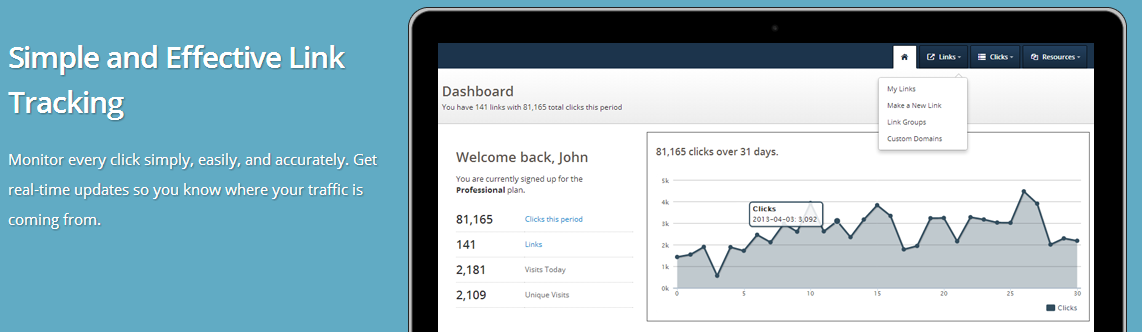
This week we introduced a cool new method to download link data via the Linktrack API. This kind of thing is useful if you want to integrate our site’s tracking data with another web site or application.
The new API method is called “getLinkHistory” and it’s documented on our API documentation page. There you’ll find a code sample or two and everything you need to get started.
We get a lot of requests to white label our service, so this tool is designed with that in mind. The API is available to anyone with an account – just look for it under your “Account” tab.
Cheers,
Keeton
Posted in API, News | No Comments »
We’ve recently rolled out a new version of our Linktrack software, and I thought this was as good a time as any to get some more users participating in our bug bounty program.
Note: This program is intended to last for one month. If this post is more than a month old and you found something, please email us to see if there’s any reward money left.

The rules are simple: Find a bug on the site, and we’ll pay you for your efforts according to the fee schedule below.
Bug reports must include a reasonable number of the following to to find and duplicate the problem (explain it to us like we’re five):
- screenshots
- links
- notes
- browser information
- steps
- examples
Payments will be made via PayPal a day or so after you submit your report. We’ll run this program for one month or until our $250 budget runs out.
Bugs are worth the following:
- Typos: $.50
- Layout (this looks weird in my browser): $1.00
- User interface (I’m clicking the button, but it’s not working!): $3.00
- Broken features (I’m getting an error page): $15.00
Please send your bounty request and supporting documentation via email along with your PayPal email address for payment. We’ll reply to let you know if you’re eligible.
If you have to submit more than one request that’s OK, but please try to group your stuff together whenever possible.
Thank you!
Keeton
Update: bugs reported
The following issues have been reported and are no longer eligible:
- Typos in the “Follow Linktrack on Twitter” box have been reported.
- The ‘recent’ link in the footer shows an unfriendly XML page.
- You have a post titled “Unique Selling Propostion (USP)” – in the title, proposition is spelled incorrectly.
- on the FAQ page, “yardwork” is not a real word. It should be “yard work”
- Usability concern, not a bug – On the signup page, please have your terms of service open in a new window or popup
- Footer needs to be fixed, the year is right next to Danifer Web Services I think there should be a space there and there’s a > floating on the bottom.
- On http://linktrack.info/p/affiliate the word “affiliate” is spelled incorrectly
- on http://linktrack.info/p/faq — “ebay” should be “eBay”
- Unlimited Clicks, Links Won’t Expire, Turn Links On And Off links not working properly (Under “Features”, left side of page
Posted in News | 2 Comments »
A quick update for those users using the API:
We’ve noticed a serious decline in the use of XML for APIs for online applications. This is followed by an increase in the JSON format. Personally, I’m not partial to either but there’s no denying the trend.
Going forward our API will default to XML as usual, but will also include a JSON format parameter as standard practice going forward. The current API (1.0) implements this with the [format] parameter. Just append &format=json to your request to get JSON format.
Let me know what you think and if you have any questions.
Thanks,
Keeton
Posted in API, News | No Comments »
A customer contacted me the other day and asked if he could plug in to the API to pull certain links out of his account and sort them by the number of clicks they had received.
He wanted to publish the links and their totals on a web page. He went on to explain that he’s running a contest and would like the entrants to be able to check on their stats and compare them with other contestants to see who’s collecting the most links.
There was a workaround with the existing system, but it was cludgy so I went ahead and added a search/sort/order method for multiple links to the API. This will let you pull data on multiple links, either by the link ID or by the group they’re in. You can sort and order them as needed.

You can find details on your API credentials page at https://linktrack.info/api/getCredentials. There’s a real-world opens source code sample here.
This method can also return data in either XML (our soon-to-be-replaced-default) or JSON. We’ve expanded the API system to output both formats and will continue with that as a standard going forward. More on that in another post.
Posted in API, Uses | No Comments »
ROI, or Return On Investment is a critical metric for success in online marketing. It’s important to know where your clicks are coming from, but it’s even better to know which ones are turning into sales.
Measuring ROI with Linktrack is simple thanks to our Conversion Tracking feature. If you have a Professional account, just click the “Track Conversions” check box when you make or edit a link. Once it’s turned on, you can download a snippet of HTML code that can be placed on any successful sale or conversion page.

When a click turns into a conversion, it’s recorded in our system!
At Linktrack, we use our own Conversion Tracking feature to measure the success of our advertising campaigns. Here’s an example from our latest Google AdWords ad:

Use conversion tracking to measure ROI from:
- Pay-Per-Click marketing
- Banner advertising
- Traffic exchanges
- Affiliate marketing
- and more
Try it now with a Professional account and get your first month free for only $1!
Posted in News, Uses | No Comments »
From a marketing perspective, social media is becoming really hard to ignore. It’s everywhere – from storing your resume on LinkedIn to keeping up with friends on Facebook and Google+, to sharing updates, video and pictures on sites like YouTube, Twitter and Flickr.
All of these are great but there’s so many that it’s difficult to keep up with all of them. How are you supposed to know where your best results are coming from?
That’s why we built Linktrack. We give you a simple tool to monitor and measure results in real time across a wide variety of sites. You can quickly see where your traffic is coming from so you can better tailor your marketing.

Try it now with these steps:
- Sign up for an account here
- Make a tracking link to measure what you’re interested in (bringing visitors to your web site for example).
- Post it on your Facebook page, Google+ page, in your Twitter stream, in your YouTube descriptions, etc.
- Watch the traffic come in over a few hours or days and you’ll start to get a feel for which sites are doing the most for you!
Want to take it a step further? Try out a month of one of our premium accounts for only $1 and try one of these options:
Posted in Cool, Uses | No Comments »
One of our users recently asked:
Can your site do banner referral links? How do you set up a tracking link with a banner?
We have a lot of users that use our site for banner tracking. Here are some steps and sample code to get started:
- Use our site to make a tracking link that points to your desired location (where the want the user to go)
- Copy your tracking link into the HTML code below.
- Replace the “img src” part with the URL of the banner image you want to use.
- Paste the HTML code onto your web page or email where needed.
<!--Start HTML code -->
<a href="http://linktrack.info/your_tracking_link_here">
<img src="http://yourdomain.com/your_image_here.jpg" />
</a>
<!--End HTML code -->
Should look something like this:

Posted in Questions, Uses | No Comments »
We’ve been running the Linktrack.info web site for years and years and we’ve never offered a discount on our premium account upgrades. Seriously – we’re like the worst sales people in the world.
But all that ends today! Try any of our premium accounts for a whole month for just a buck. That’s $0.03 a day to try email click alerts, downloadable reports, custom domain names and more. If you don’t completely love it, cancel at any time – no questions asked.
Click here to get the $1 upgrade now
Need more info? Drop me a line and ask me anything.
Cheers,
Keeton

Posted in Cool, News | No Comments »
We’ve made a few upgrades in the last month or so and one of the most notable is the Groups tool for link organization. If you’re a power user with several hundred links this is a great tool for you, and even if you’re not it will help keep your stuff organized. We’ve made it available to all of the accounts (including the free account) so you can start using it today!
Make as many groups as you want, add your links to groups as needed and remove them when you’re ready. Look for the “manage” and “add group” links when you make a link, on your links page, or under your Account page.


Posted in News | 2 Comments »
Last month we launched the Custom Domain Beta program and it was a huge success!
Today I’m pleased to announce that we’ve added the Custom Domain feature and made it available to all of our Professional account holders at no additional charge.
Yes – you read that last part correctly. We originally intended to charge extra for the awesome new feature, but decided to roll it into our increasingly popular Professional account.
If you don’t have a Professional account yet, you can get one here.
To add and edit custom domains (yes – you can have more than one) just look for the custom domain management panel on your “My Account” page:

Posted in News, Uncategorized, Uses | 2 Comments »